Microsoft Entra App Registrations: Client Credentials, App Roles, and Workload Identity Federation/Step 4 of 5
Secretless API token retrieval using managed identity federation
In this step we will create the client web application that will obtain a token for the back-end API through the client app registration using its managed id and federated credentials on the client app registration. Note that the API back-end application is still absent. This, however, does not prevent us obtaining an access token for it.
Create the Web App for the client application
Use Azure Portal to create the Web App on the F1 (free) plan like this:
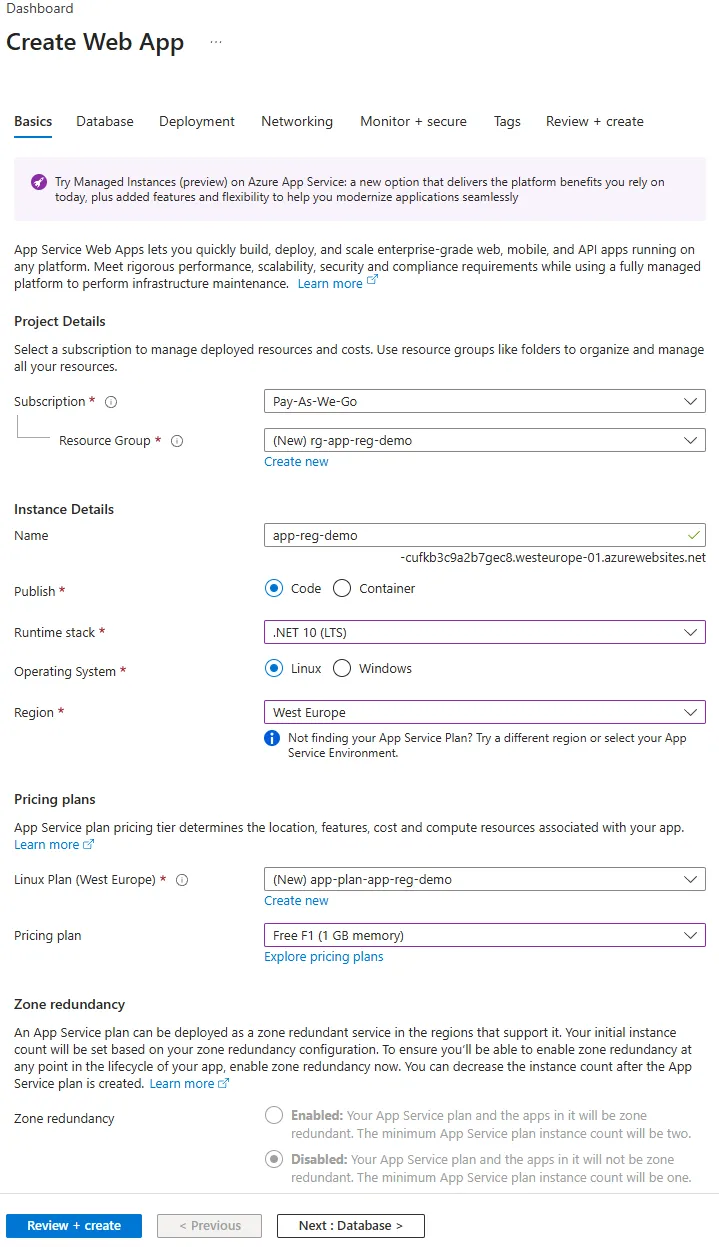
Hit Review + Create and then Create.
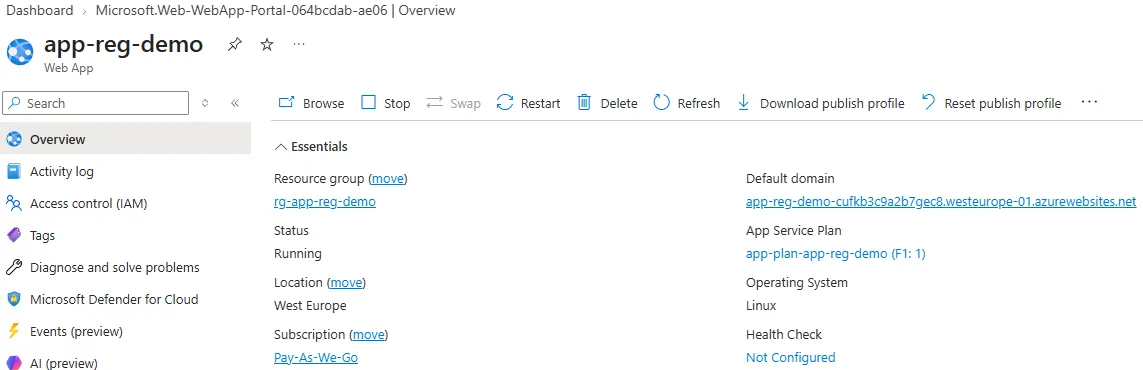
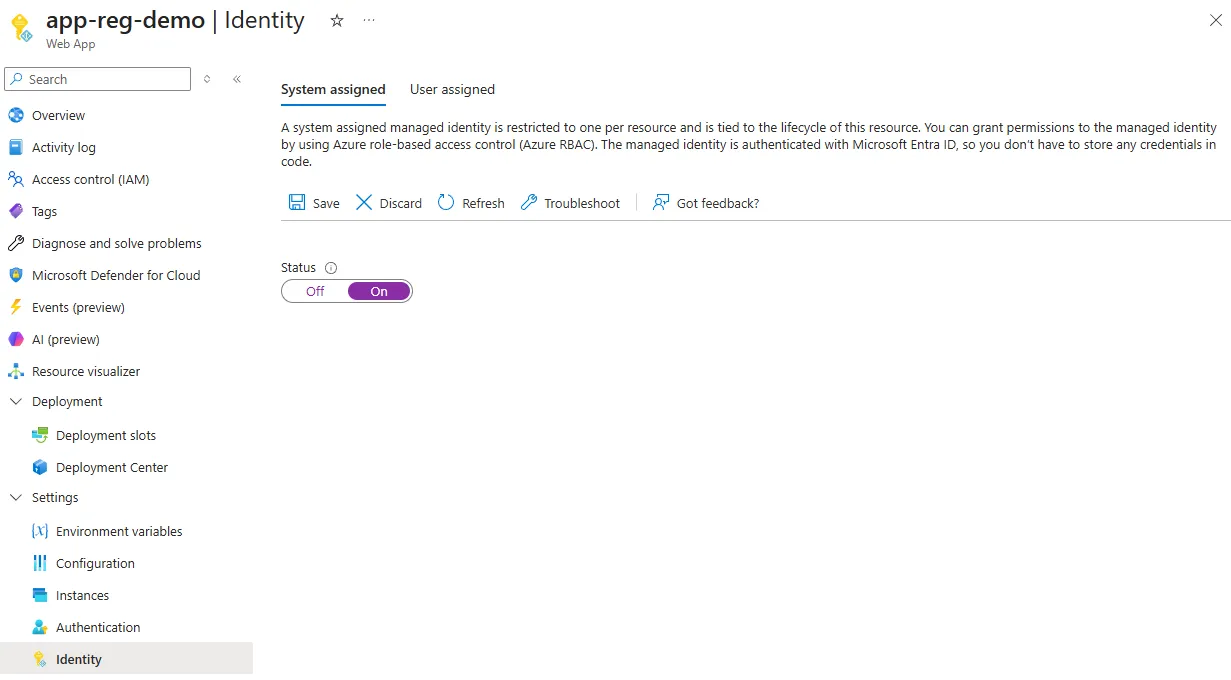
Navigate to Settings -> Identity and enable system assigned managed id.
Modify the client app registration
Open the Books reader client app registration, go to tab Manage -> Certificates & Secrets.
First remove the client secret.
Then navigate to tab Federated credentials and click Add credential.
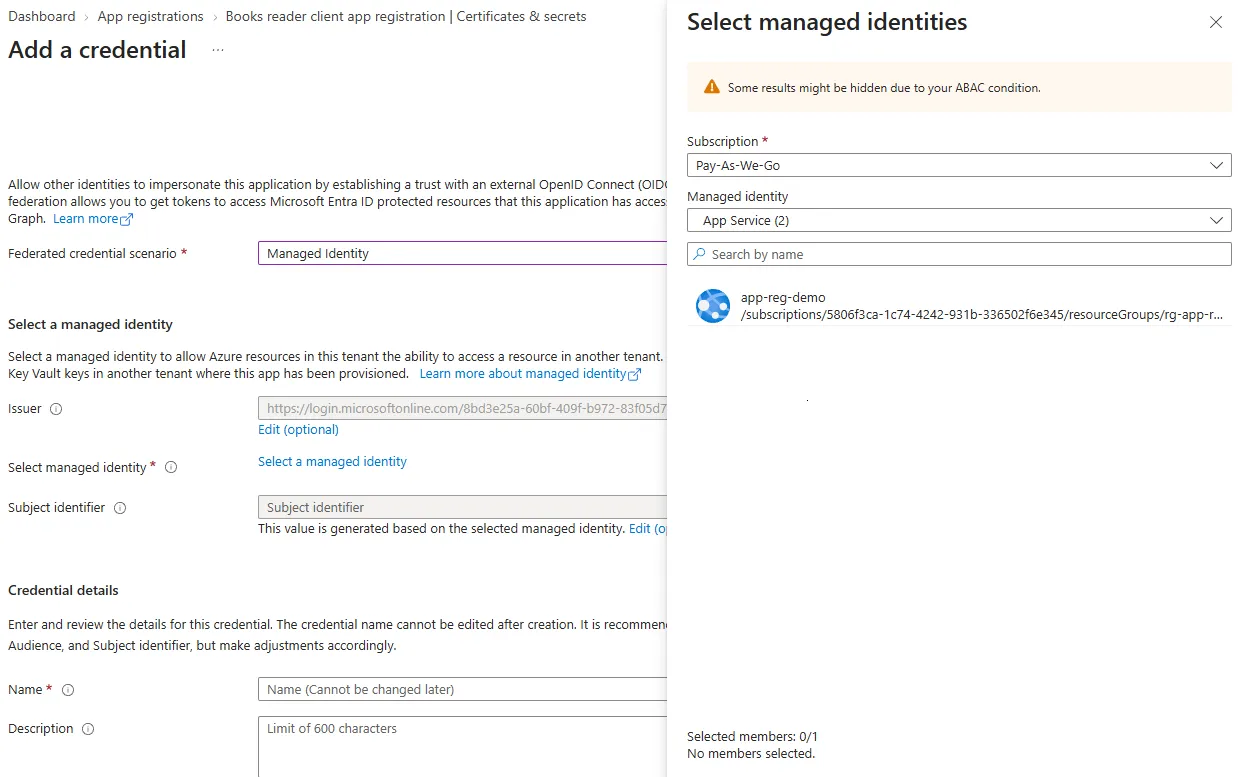
Choose Managed Identity and then Select a managed identity and choose the previously created webapp.
Use books-reader-web-app for the name.
Press Add.
Create and publish the client web application
Open VS code in a new folder and execute dotnet new webapi -f net10.0 to create a new web application.
Next, add the MSAL library by running dotnet package add Microsoft.Identity.Client.
Replace Program.cs with:
using Microsoft.Identity.Client;
using Microsoft.Identity.Client.AppConfig;


var tenantId = "8bd3e25a-60bf-409f-b972-83f05d7da3f3";

// Client app registration
var clientId = "f27b2359-fecd-402b-93bb-7873b4b645d6";

// Books API app registration
var scopes = new[]
{
    "api://46ce9c55-e894-4cc0-ae2c-efe0fc8b0caf/.default"
};

// Token used only for the federation exchange
const string tokenExchangeAudience = "api://AzureADTokenExchange/.default";

var builder = WebApplication.CreateBuilder(args);

var app = builder.Build();

app.UseHttpsRedirection();

if (app.Environment.IsDevelopment())
{
    app.MapGet("/", () => Results.Text("This sample requires the Azure Web App managed identity and therefore cannot run locally. Deploy it to Azure to test the federated identity flow."));
}
else
{
    // This creates an MSAL client that represents the Azure Web App's system-assigned managed identity.
    // We use this managed identity to obtain/exchange a token for the back-end API app registration.
    var managedIdentity = ManagedIdentityApplicationBuilder
        .Create(ManagedIdentityId.SystemAssigned)
        .Build();

    var entraClient = ConfidentialClientApplicationBuilder
        .Create(clientId)
        .WithAuthority($"https://login.microsoftonline.com/{tenantId}")

        // Instead of a client secret, this callback obtains an access token for the Web App's managed identity and supplies that token to MSAL
        // as the federated client assertion used to authenticate the Books Reader Client app registration.
        .WithClientAssertion(async (AssertionRequestOptions _) =>
            (await managedIdentity
                .AcquireTokenForManagedIdentity(tokenExchangeAudience)
                .ExecuteAsync())
            .AccessToken)
        .Build();

    app.MapGet("/", async () =>
    {
        // This requests the actual access token for the Books API using the Books Reader Client identity and its configured application permissions.
        // The requested `/.default` scope causes Microsoft Entra ID to include the app roles already granted to that client.
        var result = await entraClient
            .AcquireTokenForClient(scopes)
            .ExecuteAsync();

        // Return the token directly as content.
        return Results.Text(result.AccessToken);
    });
}

app.Run();
Use the Azure VS Code extension to deploy the code to the previously created web app.
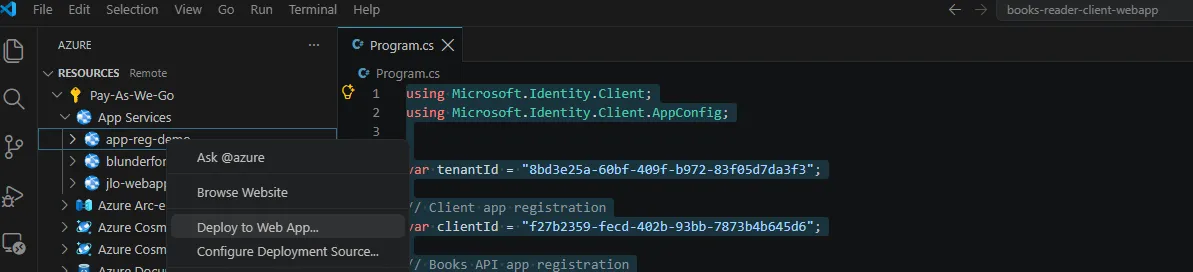
After deploy, test the program by navigating to the web app URL, which in my case is https://app-reg-demo-cufkb3c9a2b7gec8.westeurope-01.azurewebsites.net/.
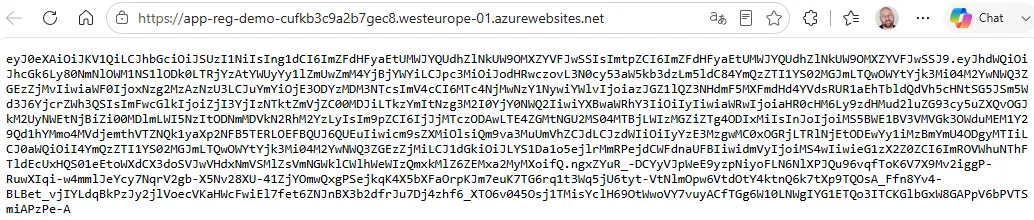
The mechanism is working.
Overview
flowchart LR
    WebApp["Azure Web App"]

    MI["System-assigned<br/>Managed Identity"]

    ClientReg["Books Reader Client<br/>App Registration<br/><br/>Federated Credential<br/>trusts Managed Identity"]

    Entra["Microsoft Entra ID"]

    Api["Books API"]

    WebApp -->|"1. Runs as"| MI

    MI -->|"2. Request access token<br/>aud = api://AzureADTokenExchange"| Entra

    Entra -->|"3. Managed Identity access token"| WebApp

    WebApp -->|"4. Use Managed Identity access token<br/>as client assertion for<br/>Books Reader Client"| Entra

    ClientReg -.->|"Federated trust"| MI

    Entra -->|"5. Books API access token<br/>identity = Books Reader Client<br/>roles = existing app permissions"| WebApp

WebApp -->|"6. Bearer token"| Api-
The Azure Web App runs with its system-assigned managed identity, which gives the workload its own identity in Microsoft Entra ID.
-
The managed identity requests an access token for the special audience
api://AzureADTokenExchange. This token is not intended for the Books API; it is only used for the federation exchange. A federation exchange is the process of using a token issued for one trusted identity as proof to obtain a new token for another application identity, without using a client secret or certificate. -
Microsoft Entra ID returns the Managed Identity access token, identifying the Web App’s managed identity.
-
The Web App supplies that token as a client assertion while authenticating as the Books Reader Client app registration. The federated credential on that app registration tells Entra ID to trust assertions from this managed identity.
-
After validating the federation relationship, Microsoft Entra ID issues a new access token for the Books API. This token represents the Books Reader Client identity and contains its granted application permissions in the
rolesclaim. -
The Web App sends the resulting Books API access token as a Bearer token when calling the API. Note that this will be implemented in the next step.
What is next
In this step we created the WebApp and deployed the code. Using MSAL the application leverages its managed identity to exchange its identity token for a back-end API token, using federated credentials on the client app registration. This set up makes it possible to use app registrations with their configured app roles.
In the next step we will create an audience for the access token.